
PlanSwift has been a familiar name in digital takeoff for a long time. It is known for point-and-click takeoffs, drag-and-drop assemblies, Excel compatibility, reporting, and a broad set of takeoff tools for areas, lengths, counts, volumes, and roof or framing workflows.
Metres.ai approaches the same problem from a different direction. It is built for teams that want a browser-based takeoff and quoting workflow, easier access from different devices, and AI-assisted tools that reduce manual setup on floorplans.
This article is not about saying every PlanSwift user should switch. If your estimating process depends heavily on PlanSwift assemblies, custom reports, desktop workflows, and existing templates, PlanSwift may still be a strong fit. But if you are looking for a PlanSwift alternative that feels lighter, more collaborative, and more focused on fast construction plan measurement, Metres.ai is worth comparing.
Short Version
Metres.ai is a good PlanSwift alternative if you want:
- a cloud-based workspace instead of a primarily desktop-led workflow
- faster setup for digital takeoffs and quotes
- modern collaboration around shared projects and plans
- AI-assisted room segmentation as part of the floorplan workflow
- a simpler path from measured areas and lengths to quote-ready information
PlanSwift is still a good fit if you want:
- a mature Windows desktop takeoff environment
- deep assembly and formula customization
- established Excel export and reporting workflows
- broad trade-specific takeoff tooling
- workflows already built around PlanSwift jobs, templates, and plugins
What PlanSwift Does Well
PlanSwift is designed as a takeoff and estimating platform for construction professionals. Its official feature list includes tools for area, linear, segment, and count takeoffs, custom assemblies, Excel exports, custom formulas, reports, cost codes, and integrations with third-party programs.
That matters because many estimators do not just need to measure a plan. They need to turn takeoff items into costed assemblies, apply labor, export reports, and reuse the structure of previous jobs.
PlanSwift also has a long history in the industry, which means many estimators already know how it works. For companies with trained staff, existing templates, and a library of assemblies, that familiarity has real value.
Where Teams Start Looking for a PlanSwift Alternative
Most teams do not look for an alternative because PlanSwift cannot do takeoffs. They look because their workflow has changed.
Common reasons include:
- remote or distributed estimating teams
- a need to access projects without being tied to a single desktop setup
- less tolerance for old interfaces or heavy setup
- a desire to connect measurement, quoting, and collaboration in one place
- interest in AI-assisted floorplan workflows
This is where Metres.ai is positioned differently. It focuses on making takeoff work easier to start, easier to share, and easier to turn into quoting work.
How Metres.ai Is Different
Metres.ai is built around the idea that takeoff work should live in a shared online workspace. You upload plans, measure areas and lengths, organize project data, and move toward quote-ready outputs without passing files around manually.
The biggest difference is the workflow shape. PlanSwift is powerful, especially for desktop estimators with mature templates. Metres.ai is designed for builders, tradies, and estimating teams who want a cleaner cloud workflow with less friction between upload, measurement, review, and quoting.
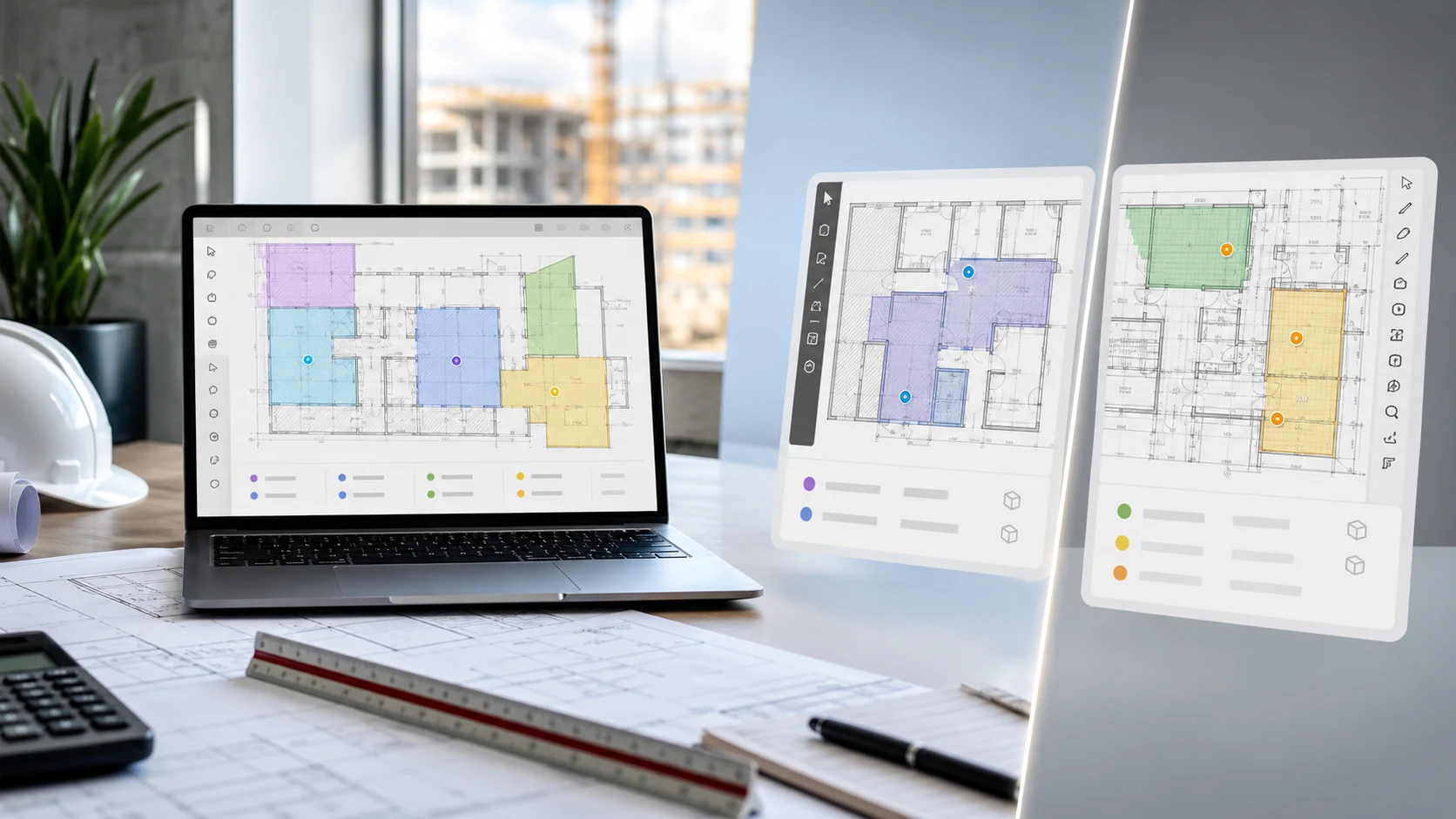
Metres.ai also introduces AI-assisted room segmentation. Instead of treating every floorplan as a blank canvas, the system can help identify room-like regions so users can start from a more useful first pass. That does not remove the need for estimator judgment, but it reduces repetitive setup and gives the user something structured to review.
AI Room Segmentation: Why It Matters
Room segmentation is useful because many takeoffs begin with the same slow step: understanding the plan before measuring it. If the software can help identify rooms or zones, the estimator can spend more time checking, adjusting, and pricing instead of drawing everything manually from scratch.
In Metres.ai, AI-assisted room segmentation is part of a broader direction: making floorplans easier for software to understand. The goal is not to hide the plan from the user. The goal is to give the user a better starting point.
Metres.ai is also working on object-of-interest detection and room/object labeling. That means future workflows can become more specific: identifying objects, labeling rooms, and helping teams organize takeoff data with more context.
Workflow Comparison
Use PlanSwift when your workflow depends on a mature desktop estimating setup, detailed assemblies, and report customization.
Use Metres.ai when your priority is a cloud workspace, fast digital measurements, AI-assisted plan understanding, and a simpler path from takeoff to quote.
For a small builder or trade business, the decision often comes down to this:
- If you want a deep desktop estimating system, PlanSwift is familiar and established.
- If you want a modern takeoff workspace that is easier to access, collaborate in, and pair with AI-assisted floorplan tools, Metres.ai is the more natural alternative.
Feature-by-Feature Notes
PlanSwift has strong takeoff depth. Its official materials describe tools such as area, linear, segment, count, roof areas, cubic yards, custom formulas, reports, Excel integration, and third-party integrations.
Metres.ai focuses on practical construction takeoff and quoting workflows. It supports plan upload, on-screen measurements, project organization, collaboration, and quote creation. The newer AI room segmentation work is especially relevant for users who want the software to help interpret floorplans, not just display them.
The important distinction is not simply “features.” It is how much setup and workflow weight you want around those features.
Who Should Choose Metres.ai?
Metres.ai is a strong option for:
- builders and tradies who want takeoffs without a steep learning curve
- teams that want browser-based access to projects
- businesses moving away from paper plans and file-heavy estimating workflows
- users who want AI-assisted room segmentation in their takeoff process
- teams that want takeoff and quoting closer together
Who Should Stay with PlanSwift?
PlanSwift may remain the better fit for:
- estimators already fluent in PlanSwift
- companies with extensive PlanSwift assemblies and custom reports
- teams that rely heavily on Excel-linked estimating workflows
- users who prefer a desktop-first takeoff application
- businesses that need very specific trade workflows already built in PlanSwift
Decision Checklist
Before choosing between Metres.ai and PlanSwift, ask:
- Do we need a desktop-first estimating system or a cloud workspace?
- Are our existing assemblies and reports the center of our workflow?
- How often do team members need to access the same project remotely?
- Do we want AI assistance for room segmentation and future object labeling?
- Do we need a simpler path from takeoff to quote?
- Are we trying to reduce training time for new users?
If most of your answers point toward accessibility, collaboration, and faster setup, Metres.ai is likely the better PlanSwift alternative to test.
Final Take
PlanSwift is established, feature-rich takeoff software with strong estimating depth. Metres.ai is a modern PlanSwift alternative for teams that want browser-based takeoffs, easier collaboration, quoting workflows, and AI-assisted room segmentation.
The right choice depends on how your estimating team works. If you have a mature PlanSwift process, compare carefully before changing. If your current process feels too desktop-bound, too manual, or too disconnected from quoting, Metres.ai gives you a cleaner way to run takeoffs from plan upload to project estimate.
Frequently Asked Questions
Is Metres.ai a PlanSwift replacement?
Metres.ai can replace PlanSwift for teams that mainly need cloud-based takeoffs, measurements, collaboration, and quoting. Teams that rely heavily on complex PlanSwift assemblies, custom formulas, or long-standing desktop workflows should compare both tools against their real estimating process before switching.
Is PlanSwift cloud-based?
PlanSwift is widely known as a desktop takeoff and estimating application, with official materials referencing network storage, removable drives, licensing, offline work, and integrations. Metres.ai is designed around a browser-based workspace.
Does Metres.ai support AI takeoff workflows?
Metres.ai includes AI-assisted room segmentation and is working on object-of-interest detection plus room and object labeling. These tools are designed to give estimators a better first pass when working from floorplans.
Which is easier for a small builder to start with?
Metres.ai is designed for builders and tradies who want a simpler digital takeoff and quoting workflow. PlanSwift may be better for users who need deeper desktop estimating customization from day one.
Can I try Metres.ai before moving away from PlanSwift?
Yes. The safest approach is to test Metres.ai on a recent project and compare the workflow against your current PlanSwift process: upload, scale, measure, review, quote, and share.