Small contractors do not need estimating software that feels like it was built for a national construction company with a dedicated estimating department. They need something more practical: upload a plan, measure the work, price the job, send the quote, and keep moving.
That is why choosing construction estimating software for small contractors is different from choosing enterprise estimating software. The best tool is not always the one with the longest feature list. It is the one your team can actually use on real jobs without slowing down.
Short Version
Good construction estimating software for small contractors should help you:
- measure plans without printing or manual scale rulers
- calculate areas, lengths, counts, and quantities
- organize projects and floorplans in one place
- turn takeoffs into quote-ready information
- reduce spreadsheet copy-paste errors
- work without a steep learning curve
- keep pricing simple enough for a small business
Metres.ai is built around this kind of workflow. It gives small contractors digital takeoff tools, quote creation, cloud project access, and AI-assisted room segmentation without forcing the team into a heavy estimating system.
Why Small Contractors Need Different Estimating Software
Large contractors often have dedicated estimators, cost databases, complex approval steps, and formal bid processes. Small contractors usually work differently.
The same person may be visiting a site, reading plans, talking to a client, checking materials, and preparing the quote. That means estimating software has to be fast, clear, and usable without days of setup.
For a small contractor, the main problem is not usually a lack of formulas. It is time. The workflow gets messy when measurements are done on paper, quantities are typed into spreadsheets, and quotes are built separately from the takeoff.
Good estimating software should remove those repeated steps.
What to Look For
1. Fast digital takeoffs
The first requirement is simple: the software should let you upload plans and measure directly on screen. You should be able to measure areas, lengths, perimeters, and counts without printing drawings.
This matters because manual takeoffs create small errors that compound quickly. A missed room, a bad scale, or a copied number can change the price of a job.
2. Simple project organization
Small contractors often quote several jobs at once. If plans, notes, measurements, and quotes live in different places, it becomes harder to know which number is current.
Look for software that keeps each project organized, including the plans and measurements behind the quote.
3. Quote-ready outputs
Estimating software should not stop at measurement. A takeoff is useful because it supports a quote. The best tools help you move from measured quantities to pricing and quote preparation without retyping everything.
4. Easy collaboration
Even small teams need collaboration. One person may do the takeoff, another may review the quote, and another may talk to the customer. Cloud access makes this easier because the team can work from the same project information.
5. A learning curve your team can handle
Powerful software is not useful if nobody has time to learn it. For small contractors, the software should be easy enough that someone can upload a plan and complete a basic takeoff quickly.
6. Pricing that fits the business
Small contractors need predictable software costs. Expensive annual plans can be hard to justify if the team only needs takeoffs and quoting. Monthly pricing and a free trial make it easier to test the tool before committing.
What to Avoid
Avoid estimating software that:
- requires too much setup before the first useful quote
- is built mostly for enterprise workflows
- separates takeoff and quoting so much that you still copy numbers manually
- charges for features your team will not use
- hides pricing behind demos when you need to make a quick decision
- makes it difficult to access jobs from different devices
The goal is not to buy the biggest estimating platform. The goal is to make estimating faster and more reliable for the kind of work your business actually does.
How Metres.ai Helps Small Contractors
Metres.ai is designed for builders, tradies, and small estimating teams that want a practical way to handle takeoffs and quotes.
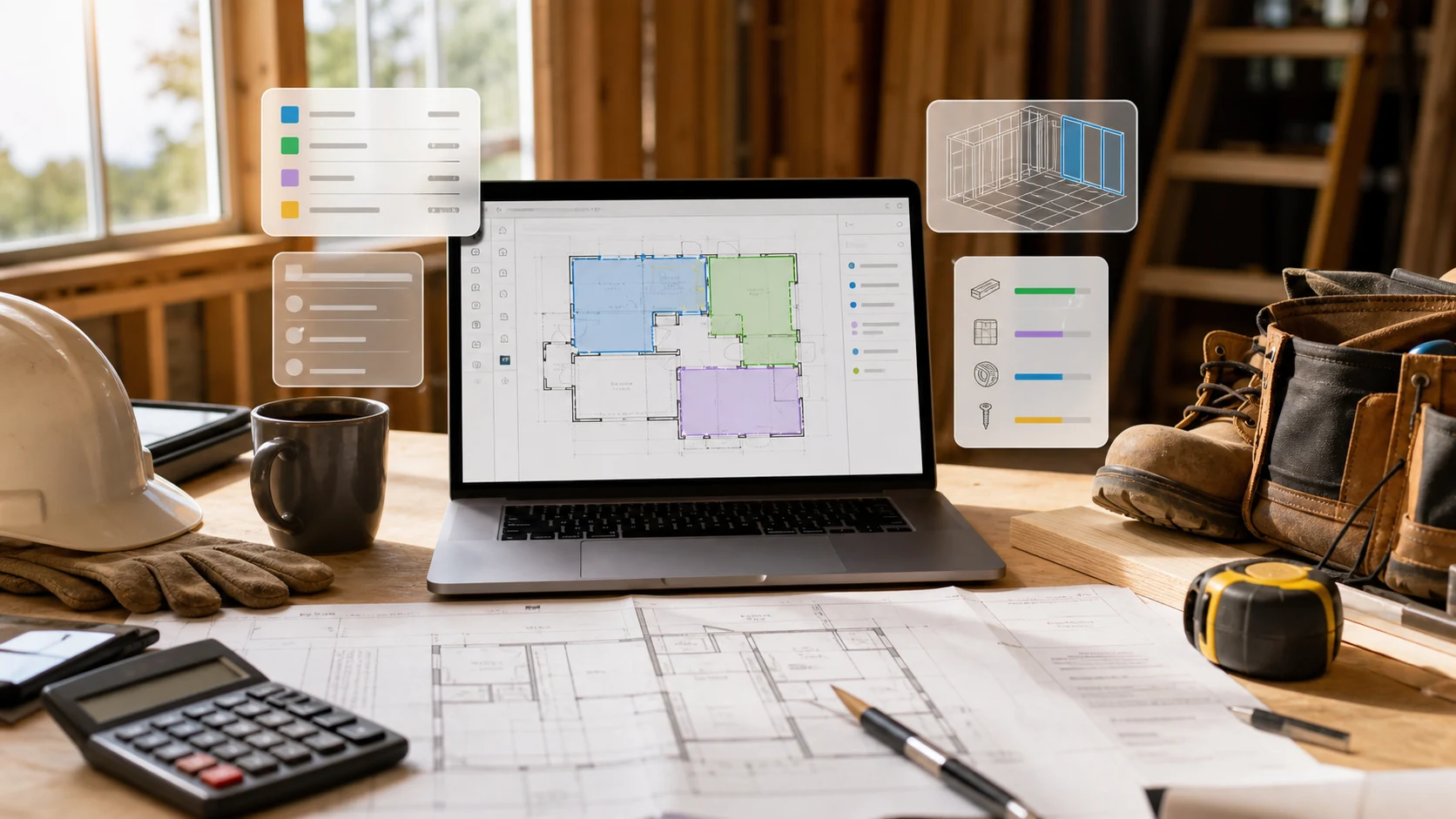
With Metres.ai, you can upload plans, measure on screen, organize project data, and create quote-ready outputs from the same workflow. That reduces the amount of manual copying between PDFs, paper notes, spreadsheets, and quote documents.
Metres.ai also includes AI-assisted room segmentation. This helps the software detect room-like areas on a floorplan, giving you a more useful starting point for review and measurement. It does not replace estimator judgment, but it can reduce repetitive setup.
The product direction is also useful for small contractors: Metres.ai is working on object-of-interest detection plus room and object labeling. That means future workflows can help identify more of the plan context, not just display the drawing.
Example Workflow
A small contractor using Metres.ai might work like this:
- Upload the floorplan.
- Set or confirm the scale.
- Use digital tools to measure rooms, walls, floors, or other required work.
- Use AI-assisted room segmentation where it helps create a first pass.
- Review quantities and adjust anything that needs estimator judgment.
- Turn the takeoff into quote-ready information.
- Send the quote and keep the project record for later.
The key is that the takeoff and quote stay connected. You can go back to the plan and understand where the numbers came from.
Who This Is Best For
Metres.ai is a good fit for:
- small builders
- renovation contractors
- flooring contractors
- roofing contractors
- electricians
- plumbers
- HVAC contractors
- painting and finishing trades
- owner-operators who quote their own jobs
- small teams moving away from paper plans and spreadsheets
It is especially useful when the business wants estimating software without adopting a large enterprise system.
Construction Estimating Software Checklist for Small Contractors
Before choosing a tool, ask:
- Can I upload a plan and measure it quickly?
- Can I create areas, lengths, counts, and quantities?
- Can I keep project information together?
- Can I move from takeoff to quote without retyping everything?
- Can my team use it without long training?
- Does the pricing make sense for a small contractor?
- Can I try it on a real job before committing?
- Does it support modern workflows like AI-assisted room segmentation?
If the answer is yes, the software is likely a better fit for a small contractor than a heavyweight platform built for bigger companies.
Final Take
The best construction estimating software for small contractors is not necessarily the biggest or most complex option. It is the one that helps you quote faster, reduce measurement mistakes, and keep your project information organized.
Metres.ai is built for that kind of workflow: digital takeoffs, cloud access, quote-ready outputs, and AI-assisted room segmentation in a tool small teams can actually use.
If your estimating process still depends on printed plans, manual measurements, and spreadsheet copy-paste, moving to a focused tool like Metres.ai can make quoting faster and more consistent.
Frequently Asked Questions
What is the best construction estimating software for small contractors?
The best software depends on your trade and workflow, but small contractors should look for fast digital takeoffs, simple project organization, quote-ready outputs, cloud access, and pricing that fits a small business. Metres.ai is designed around those needs.
Do small contractors need takeoff software?
If you regularly quote from plans, takeoff software can save time and reduce mistakes. It helps replace printed drawings, manual scale rulers, and spreadsheet copy-paste with a cleaner digital workflow.
Is Metres.ai suitable for small contractors?
Yes. Metres.ai is built for builders, tradies, and smaller estimating teams that need practical takeoff and quoting software without a heavy enterprise setup.
What features matter most for small contractor estimating?
The most important features are plan upload, scale setting, area and length measurements, quantity organization, quote creation, cloud access, and a simple learning curve.
Can estimating software help me win more jobs?
Estimating software can help you respond faster and quote more consistently. It will not win jobs by itself, but it can reduce delays, avoid missed quantities, and make your quotes easier to prepare.